Music Quiz Game for Friends & Parties

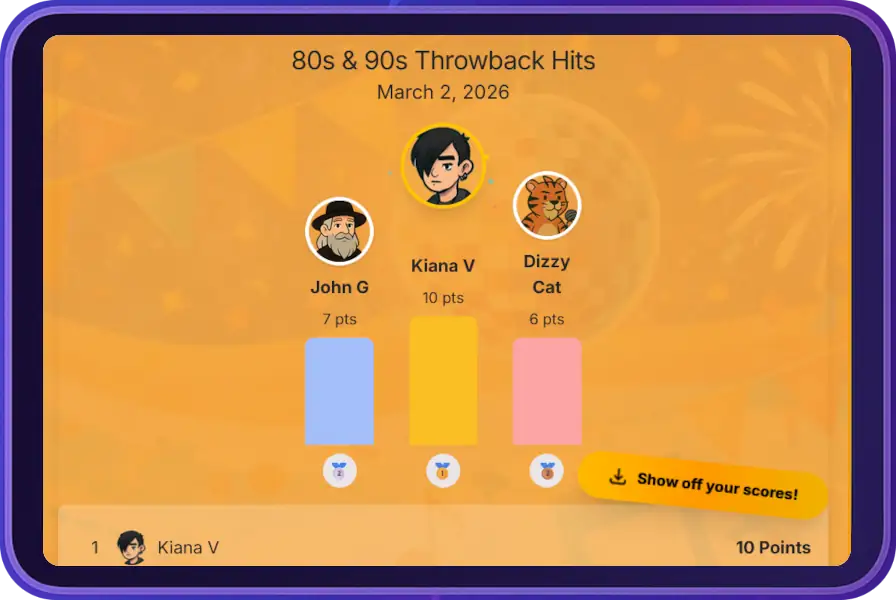
Quizically player view showing final results podium and leaderboard
Player view — final results

Host exciting music quizzes with friends, family, or colleagues! Test your knowledge about song release years, compete for the top spot, and create memorable experiences together.

No account needed. Host a game or join with a code.

Fast, fun music quizzes anywhere. Join with a game code below.

Enter the game code and player name to join

1

Create or Join

Create the quiz and become the DJ or enter the game code on your phones to instantly join a game.

2

Listen & Guess

Listen to the songs and guess their release years to earn points.

3

Score Points

Earn points for accurate guesses and compete with friends for the highest score

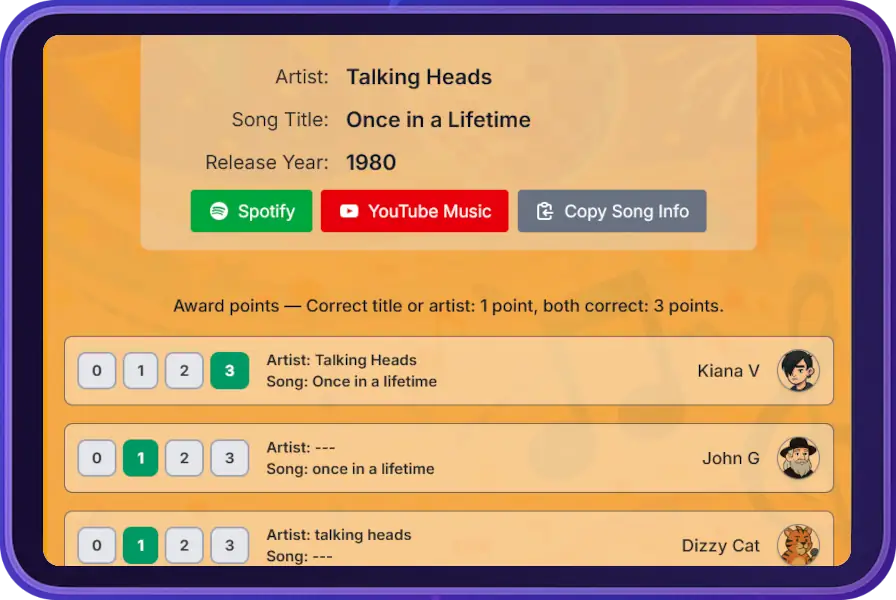
Quizically DJ console awarding points to players
DJ view — award points

Hosting is simple

  • Quizically selects songs automatically (themes or full shuffle)
  • Play tracks in Spotify or YouTube Music
  • Award points in one tap and continue

Key Features of qzly.app Music Quiz

Easy Setup

Create a music quiz in seconds, share the code with friends, and start playing immediately!
Play Together

Perfect for parties, team building events, or just hanging out with friends!

Test Your Music Knowledge

Guess song release years, earn points for accuracy, and compete for the top spot on the leaderboard!

Ready to Start Your Music Quiz?

Create your first music quiz game now - it's completely free and takes just a minute to set up!

Start a Game Now

Friends having fun playing a music quiz game at a party

Frequently Asked Questions

qzly.app is an interactive music quiz game where players guess the release year of songs. It's perfect for parties, team building events, or any social gathering!
qzly.app is completely free to play! You can create and host as many music quiz games as you want with no hidden fees.
Click on "Host a game" to become a DJ, create the quiz automatically, and share the game code with your friends so they can join and play!
Yes! qzly.app is fully responsive and works on smartphones, tablets, and desktop computers.
The DJ is the host of the game. They play the songs for all participants and manage the quiz flow. One person takes on this role for each game. Being the DJ is easy and fun!
Yes, the DJ will need access to a music streaming service—such as Spotify, YouTube Music, or another platform. qzly.app will prompt the DJ with which tracks to play, so you can use your preferred service to queue up the music for everyone.
Yes! Join our community on Discord to chat, get help, and suggest features.

On most Android devices, clicking the Spotify link will open the song in the Spotify app. If it opens in your browser instead, it usually means your phone isn't set to let Spotify handle those links.

How to fix it:

  1. Open your phone's Settings
  2. Go to Apps → Spotify → Open by default
  3. Under "Open supported links", select "Open in this app"

Now, Spotify links should launch directly in the Spotify app when you click them in Quizically.